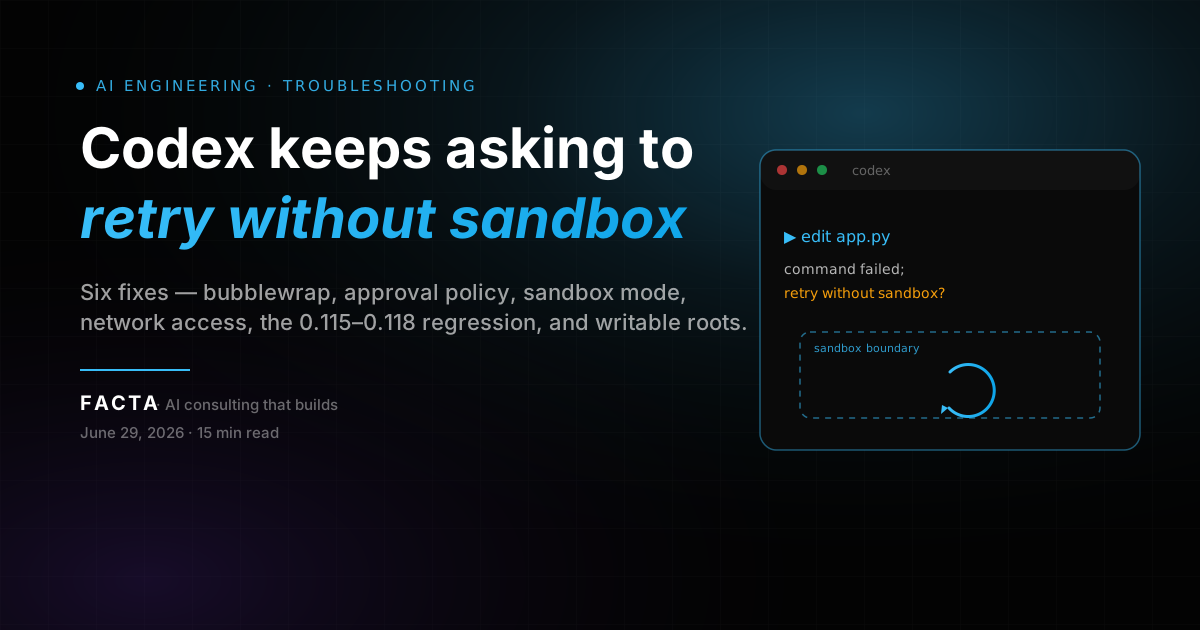
You run Codex, it tries to edit a file or run a command, and instead of doing the work it stops and asks: command failed; retry without sandbox?
That prompt is not your code asking for more permission. It is two separate controls — the sandbox and the approval policy — disagreeing about a command that, more often than not, would have run fine. The wording makes it sound like your task needs elevated access. Usually the sandbox itself failed to start, or a regression mislabeled a routine edit as a denial.
This guide does two things. First: the concrete fixes, ordered from the one most people are missing (bubblewrap on Linux) through to the version regression and the writable-roots case. Second — the part most guides skip — what a sandbox prompt you can't silence actually teaches you about depending on a tool whose safety layer you don't own.
If you'd rather have someone harden the whole layer for you, we do that too.
30-SECOND DIAGNOSIS
Run three checks before you edit anything
Most people are one install or one config line away from a fix. Run these in order; the first one that comes back wrong is your fix.
Run these three checks
codex --version            # note the version; 0.115–0.118 had regressions
command -v bwrap           # Linux/WSL2: expect a path; empty = sandbox can't start
grep -E 'approval_policy|sandbox_mode' ~/.codex/config.toml   # check your settings
| Result | What it means | Jump to |
|---|---|---|
| bwrap empty on Linux/WSL2 | The sandbox cannot launch, so every command fails into the prompt | Fix 1 (install bubblewrap) |
| approval_policy = "untrusted" | You told Codex to ask before every command | Fix 2 (set on-request) |
| sandbox_mode = "read-only" | Edits are blocked by design and escalate | Fix 3 (workspace-write) |
| Network commands fail (npm, git fetch) | Sandbox blocks outbound network | Fix 4 (network access) |
| Version in 0.115–0.121 range | Known apply_patch regression | Fix 5 (pin / upgrade) |
| macOS, only some commands prompt | Real write/network outside workspace | Fix 6 (widen roots) |
This article is about execution and sandbox/approval errors at runtime — the command failed; retry without sandbox prompt and the "every command needs approval" loop. If your problem is codex: command not found right after install, that is a PATH problem, not a sandbox problem. For the full set of config.toml keys this post touches, the Codex CLI config.toml reference is the source of truth.
WHAT THIS PROMPT ACTUALLY IS
Sandbox vs. approval — two controls people mix up
Codex runs your model's commands behind two separate controls. People mix them up, and that confusion is half the reason this prompt is so annoying.
The sandbox — the technical boundary
read-only
Codex can read files and run commands that do not write.
workspace-write
Codex can read and edit inside the current workspace and run routine local commands. This is the interactive default.
danger-full-access
No filesystem or network restriction.
The approval policy — when Codex stops to ask
untrusted
Ask before running anything.
on-request
The model runs routine work itself and asks only when it needs to step outside the boundary. Interactive default.
never
Never ask; if something is not allowed, it just fails.
The official Codex sandboxing docs state the relationship directly: the sandbox defines the technical boundaries, and the approval policy decides when Codex must stop and ask before crossing them. The two work together.
Where the prompt comes from
model wants to run a command
        |
        v
  sandbox_mode applies the boundary  -->  command runs clean  -->  done
        |
        v  (command exits non-zero under the sandbox)
  approval_policy reacts
        |
        v
  "command failed; retry without sandbox?"  -->  you approve  -->  reruns unsandboxed
So a command ran, the sandbox layer caused it to exit non-zero, and the approval policy reacted by offering to run the same command again outside the sandbox once you say yes. The wording suggests "your code needs more permission," but very often the command would have been fine. The sandbox itself failed to start, or a regression mislabeled a normal edit as a denial. Keep that split in mind — almost every fix below is either "make the sandbox able to do its job" or "tell the approval policy to stop interrupting routine work."
FIRST DECISION
Fix the config, switch versions, or just approve?
Before you change anything, decide which bucket you are in. This saves you from rewriting a config that was never the problem.
Fix the config when
- bwrap is missing on Linux or WSL2, so the sandbox can't launch.
- Your approval_policy or sandbox_mode is set stricter than you want.
- This is the majority of cases — the rest of the article covers it.
Switch versions when
- You are on a release with a known regression and a clean config plus bubblewrap still triggers the prompt on ordinary edits.
- Several 2026 builds shipped apply_patch regressions; pin to a good one or upgrade past it.
Just approve and move on when
- The prompt only shows up rarely, on a command that genuinely reaches the network or writes outside your project.
- That is the sandbox doing its job. Approving once is faster than re-architecting your setup for a one-off.
Stop rule. If you only see the prompt once or twice an hour on real network or out-of-workspace commands, you do not have a bug. Approve it and keep working. The fixes below are for the "every single command" case.
ERROR MAP
What each sandbox and approval error means
Match your symptom to the cause before you change a setting. Picking the wrong one is why people spend an afternoon re-typing a config that was never the problem.
| Symptom | Most likely cause | Where it bites |
|---|---|---|
| command failed; retry without sandbox? on every edit | bwrap not installed (Linux/WSL2); sandbox can't launch | Linux, WSL2 |
| Same prompt, but only on apply_patch edits | Version regression mislabeling normal writes | 0.115–0.121 builds |
| Asks before every command | approval_policy = "untrusted" | All platforms |
| Edits silently refused / escalated | sandbox_mode = "read-only" | All platforms |
| npm install / git fetch fail under sandbox | Network blocked inside workspace-write | All platforms |
| Writes to a path outside the repo fail | Path not in writable_roots | macOS, Linux |
| Sandbox startup warning at launch | bwrap missing or user namespaces disabled | Linux, WSL2 |
The single most common root cause on Linux is the first row. The Codex docs are explicit that on Linux and WSL2 you install bubblewrap first; Codex uses the first bwrap it finds on PATH and falls back to a bundled helper that needs unprivileged user namespaces. If neither is available, Codex prints a startup warning, and from then on every sandboxed command fails into the retry prompt. That is exactly the behavior reported in issue #19162, where every file edit failed starting around version 0.115.0, and a maintainer's first question was whether bubblewrap was installed per the sandboxing prerequisites.
PLATFORM SANDBOXING
Which mechanism enforces the sandbox (by platform)
Which mechanism enforces the sandbox depends entirely on your platform, and that decides whether you have anything to install at all.
| Platform | Sandbox mechanism | Extra install needed? |
|---|---|---|
| macOS | Built-in Seatbelt framework | No |
| Linux | bubblewrap (bwrap), or bundled helper via user namespaces | Yes, install bubblewrap |
| WSL2 (Ubuntu) | Linux sandbox path, same as Linux | Yes, install bubblewrap |
| Windows (PowerShell) | Native Windows sandbox | No |
If you are on macOS or Windows PowerShell and still get the prompt on every command, the cause is almost never the sandbox mechanism itself; jump to Fix 2 (approval policy) or Fix 5 (version regression). The "install something" fixes are a Linux and WSL2 story.
THE FIXES
How to fix it — solutions for every setup
Work top to bottom. Fix 1 is the one most Linux users are missing. The rest cover config, network, the version regression, and the writable-roots case.
LINUX / WSL2
Fix 1 (Linux/WSL2): Install bubblewrap
This is the fix for the "every command needs approval" case on Linux. The workspace-write sandbox needs bwrap to enforce its boundary. Without it, commands cannot run sandboxed, so they fail and escalate.
# Debian / Ubuntu / WSL2 (Ubuntu)
sudo apt-get update && sudo apt-get install -y bubblewrap

# Fedora
sudo dnf install -y bubblewrap

# Arch
sudo pacman -S bubblewrap

command -v bwrap   # expect /usr/bin/bwrap
Restart Codex after installing. The startup warning should disappear and edits should stop prompting. If bwrap is installed but the prompt persists, your kernel may have unprivileged user namespaces disabled, or an AppArmor profile is blocking bubblewrap. Check:
cat /proc/sys/kernel/unprivileged_userns_clone # expect 1 (or the file absent on newer kernels)
On Ubuntu 25.10 specifically (issue #17134), users hit AppArmor restrictions around bwrap. Recent Ubuntu releases ship an AppArmor policy that restricts unprivileged user namespaces, which is exactly what the bundled helper relies on. Install the system bwrap package first (it carries a working profile); only touch AppArmor settings if the package is present but namespace creation still fails.
APPROVAL POLICY
Fix 2: Set approval_policy to on-request
If Codex asks before every command and bwrap is present, your approval policy is too strict. The value untrusted means "ask before running anything," which is correct only if you want to vet each step. Edit ~/.codex/config.toml:
approval_policy = "on-request"
sandbox_mode   = "workspace-write"
With on-request, Codex runs routine reads, edits, and local commands itself and asks only when it needs to step outside the workspace or reach the network. You can also set it per-run without touching the file: codex --ask-for-approval on-request --sandbox workspace-write. The short forms are -a for --ask-for-approval and -s for --sandbox.
SANDBOX MODE
Fix 3: Move off read-only so edits are allowed
If sandbox_mode = "read-only", Codex cannot write at all, so any edit it tries either gets refused or escalates into the retry prompt. For normal coding work you want workspace-write:
sandbox_mode = "workspace-write"
read-only is useful when you want Codex to analyze a repo without changing anything. It is the wrong mode the moment you ask it to edit code, and the retry prompt is the symptom.
NETWORK
Fix 4: Allow network without dropping the sandbox
A frequent overreaction is jumping straight to danger-full-access because npm install or git fetch failed. You do not need to. The workspace-write sandbox blocks outbound network by default, but you can turn it on inside the sandbox:
sandbox_mode = "workspace-write"

[sandbox_workspace_write]
network_access = true
That keeps the filesystem boundary intact while letting package installs and fetches through. Reach for danger-full-access only when you genuinely need both unrestricted filesystem and network, and prefer to do that inside a container.
VERSION REGRESSION
Fix 5: Pin past the apply_patch regression
If bubblewrap is installed, your config is clean, and ordinary edits still prompt, you are probably on a build with the regression. Issue #16407 pinned a regression to 0.118.0, where apply_patch entered a patch-approval loop while 0.117.0 worked. Issue #19162 reported the behavior starting around 0.115.0. Issue #18079 described the prompt as misleading: bubblewrap and filesystem writes worked, yet apply_patch still asked to retry without sandbox. Pin to a known-good version or move forward to a fixed release:
# pin to a specific version
npm install -g @openai/[email protected]

# or upgrade to latest and re-test
npm install -g @openai/codex@latest
codex --version
Test with a trivial edit after changing versions. If a clean version plus bubblewrap clears it, the regression was the cause, not your config.
MACOS / CROSS-PLATFORM
Fix 6 (macOS / cross-platform): Widen writable roots
On macOS the sandbox usually works out of the box, so when you do see the prompt it is often a real boundary hit: the command tried to write outside your workspace. Common cases are a build tool writing to a cache directory in your home folder, or a monorepo task touching a sibling package outside the opened directory. Add the path to writable_roots instead of disabling the sandbox:
sandbox_mode = "workspace-write"

[sandbox_workspace_write]
writable_roots = ["/Users/you/.cache/mytool"]
The [sandbox_workspace_write] table also supports exclude_slash_tmp and exclude_tmpdir_env_var if you need to tighten /tmp and $TMPDIR handling, per the config reference.
A NOTE ON THE FLAGS
--full-auto and --yolo: one is deprecated, one is a trap
Two flags come up constantly in forum answers, and one of them is now a trap.
--full-auto (deprecated)
--full-auto is a deprecated compatibility flag. The CLI reference describes it as deprecated and says to prefer --sandbox workspace-write; Codex prints a warning when you use it. If an old blog post tells you to "just run codex --full-auto," update that habit to --sandbox workspace-write --ask-for-approval on-request, which is explicit about both controls.
--yolo (alias of --dangerously-bypass-approvals-and-sandbox)
This removes both controls at once. It is the right tool only inside a disposable, network-isolated container or VM, because Codex can then run any command with your full permissions.
The safer combination for unattended runs
codex --sandbox workspace-write --ask-for-approval never
That keeps the filesystem boundary while not pausing for approvals, which is usually what people actually want when they reach for --yolo — on a machine you trust, not a throwaway.
REAL REPORTS
Codex sandbox issues in 2026
These are the public issues behind the prompt, with their versions and status. All were closed at the time of writing, which means fixes or workarounds landed, but the version numbers tell you which builds to avoid.
| Issue | Reported version | Symptom | State |
|---|---|---|---|
| #12888 | multiple | Agent edits resulting in "retry without sandbox?" | Closed |
| #16407 | 0.118.0 (0.117.0 OK) | apply_patch patch-approval loop | Closed |
| #17134 | n/a (Ubuntu 25.10) | AppArmor / sandbox on Ubuntu 25.10 | Closed |
| #18079 | n/a | Misleading prompt even when bwrap + writes work | Closed |
| #19162 | 0.115.0+ | "retry without sandbox" for every command | Closed |
The pattern is clear: a cluster of regressions between roughly 0.115 and 0.118 where the apply_patch path over-triggered the prompt, layered on top of the evergreen Linux cause (bubblewrap not installed). If you read only one, #19162 is the canonical "every command" report, and the maintainer response points straight at the sandboxing prerequisites.
VERIFY
How to confirm your sandbox is healthy
After applying a fix, verify instead of guessing. A quick loop:
codex --version                         # off the regression range
command -v bwrap                        # Linux: resolves to a path
grep -E 'approval_policy|sandbox_mode' ~/.codex/config.toml
Then start Codex and watch for a sandbox startup warning. No warning plus a trivial edit that applies without a prompt means the boundary is working. Recent builds ship a codex doctor-style diagnostic; run codex --help to see the subcommands your version exposes, since these change between releases.
Capture a working setup as a profile
Once you have a setup that works, capture it as a named profile so you are not re-typing flags. Profile files live next to config.toml as $CODEX_HOME/profile-name.config.toml and you select one with --profile profile-name. Keep a strict default in config.toml and a looser profile file for repos you already trust:
# ~/.codex/trusted.config.toml
approval_policy = "never"
sandbox_mode   = "workspace-write"
Launch it with codex --profile trusted. This keeps your everyday runs safe while giving you a one-flag escape hatch for trusted repos, without ever reaching for --yolo.
WHEN THE SANDBOX IS THE WRONG LAYER
Routing around a slow or flaky model step
Most retry-without-sandbox cases are local: bubblewrap, config, or a version regression. But sometimes the underlying command is fine and the model is the slow or failing part of the loop — and you want a faster or cheaper backend behind the same Codex workflow.
Codex CLI talks to any OpenAI-compatible endpoint. You point it at whichever gateway or provider you already trust — your own, a hosted one, a self-hosted proxy — keep your sandbox and approval settings exactly as above, and route to whichever model you want:
# point Codex at any OpenAI-compatible endpoint of your choosing
export OPENAI_BASE_URL="https://your-gateway.example/v1"
export OPENAI_API_KEY="your-key"
# then run Codex normally; sandbox/approval config is unchanged
codex --sandbox workspace-write --ask-for-approval on-request
This does not change anything about the sandbox prompt; that is a local control. It just means the backend behind the loop is your choice. A unified gateway keeps one base_url and one key across many models, so switching a model is a one-string edit rather than a new provider block each time — and your local safety controls stay in place regardless of which backend you route to.
ALTERNATIVE EXECUTION MODELS
When you want a different execution model
If the sandbox model itself is not the fit for your workflow, these are the realistic options.
| Path | How it works | Approval behavior | Notes |
|---|---|---|---|
| OpenAI-compatible gateway | One base_url + one key, many model IDs | Same sandbox + approval controls | Swap models with a one-string edit |
| --sandbox workspace-write --ask-for-approval never | Same Codex, no prompts, boundary intact | No prompts | Unattended local runs on a trusted machine |
| Disposable container + --yolo | Full bypass inside an isolated VM or container | None | Throwaway environments only |
| Other agentic CLIs | Claude Code and Cursor have their own permission models | Per tool | Different defaults may suit you better |
The honest default for most people is the first or second option: keep the sandbox, fix the root cause, and only loosen controls deliberately. The gateway option is about backend flexibility — not about removing safety.
WHAT THIS ACTUALLY TEACHES
Your workflow shouldn't hinge on a safety layer you don't control
The fixes above silence the prompt. The rest is the part worth acting on before the next regression.
You can read this prompt two ways. The narrow way: install bubblewrap, set on-request, move on. The useful way: a tool you depend on has a safety layer you don't own, and the only signal that it broke was that every routine command stopped to ask permission.
We see a version of this in nearly every AI system we audit. A team builds on one client and one default model, and a sandbox regression, a deprecation, or a quiet config default turns a working setup into a half-day of guessing. The Codex sandbox prompt is just the most recent, most specific instance of it.
Three things make a setup survive these changes:
Verify at the layer below the prompt
Don't trust the prompt's framing. Trust the version, the binary, the config. The prompt is the last thing to believe and the first thing to mislead.
Own the safety layer, don't rent it
When a sandbox regression or a config default breaks your flow, your integration should be a profile switch or a pin, not a waiting game on a maintainer's fix.
Design for the regression, not the happy path
Assume every tool has a broken build in its future and every default has an expiration date. Capture a working profile before you need it.
If your workflow stops because one tool's sandbox regressed, the workflow failed the design test — not the tool.
FAQ
Questions we get about this
Why does Codex say "command failed; retry without sandbox?" on every command?+
On Linux and WSL2 the most common cause is that bubblewrap (bwrap) is not installed, so the sandbox cannot launch and every sandboxed command fails into the prompt. Install bubblewrap, restart Codex, and the startup warning should disappear. Elsewhere, check approval_policy and sandbox_mode in ~/.codex/config.toml.
How do I stop Codex asking for approval on every command?+
Set approval_policy = "on-request" and sandbox_mode = "workspace-write" in ~/.codex/config.toml. With on-request, Codex runs routine reads, edits, and local commands itself and asks only when it needs to step outside the workspace or reach the network. The per-run equivalent is --ask-for-approval on-request --sandbox workspace-write.
What is the difference between the sandbox and the approval policy in Codex?+
The sandbox sets the technical boundary (read-only, workspace-write, or danger-full-access). The approval policy decides when Codex stops and asks before crossing that boundary (untrusted, on-request, or never). The prompt fires when a command exits non-zero under the sandbox and the approval policy offers to rerun it unsandboxed.
Is --full-auto still supported in Codex?+
It is deprecated. The CLI prints a warning and the reference says to prefer --sandbox workspace-write. Use --sandbox workspace-write --ask-for-approval on-request to be explicit about both controls.
When should I use --yolo (--dangerously-bypass-approvals-and-sandbox)?+
Only inside a disposable, network-isolated container or VM. It removes both the sandbox and approval controls at once, so Codex can run any command with your full permissions. For unattended runs on a machine you trust, prefer --sandbox workspace-write --ask-for-approval never, which keeps the filesystem boundary.
Why do npm install and git fetch fail under the Codex sandbox?+
The workspace-write sandbox blocks outbound network by default. Allow it without dropping the sandbox by setting [sandbox_workspace_write] network_access = true. Reserve danger-full-access for cases that genuinely need unrestricted filesystem and network, ideally inside a container.
Which Codex versions have the "retry without sandbox" regression?+
A cluster of apply_patch regressions between roughly 0.115 and 0.118 over-triggered the prompt even when bubblewrap and writes worked (issues #19162, #16407, #18079). If your config and bubblewrap are correct and ordinary edits still prompt, pin to a known-good version (e.g. 0.117.0) or upgrade to the latest and re-test.
How do I let Codex write outside my project folder on macOS?+
Add the path to writable_roots under [sandbox_workspace_write] instead of disabling the sandbox. Common cases are a build tool writing to a cache directory in your home folder, or a monorepo task touching a sibling package outside the opened directory.
About FACTA
FACTA helps startups and growth-stage teams turn AI into production systems that keep running — not demos that impress once.
We design the architecture around the parts that actually break under real usage: tooling you own, credentials you control, failover, cost controls, observability. The boring infrastructure that keeps a system alive after launch.
Led by Matías Baglieri and Carolina Fogliato, we focus on one thing:
AI leadership that builds. Not just advises.
Stop firefighting tooling regressions. Own the layer.
When a sandbox regression or a config default quietly breaks your workflow, the fix is rarely one more flag — it's an automation layer that keeps your tooling reliable, observable, and decoupled from any single client or build. FACTA designs and builds that layer so your workflow survives the next regression, deprecation, or breaking change.
Explore AI Automation