You opened Claude Code at 9am, gave it a refactor, and by lunch it told you that you've hit your usage limit. On a paid plan. This is one of the most common complaints in the Claude Code issue tracker right now, and the cause is almost never a billing bug. It's how the quota is structured, plus a few default behaviors that quietly burn through it.
The fastest way to drain a Claude Code plan is to run Opus on routine work while three subagents fan out behind you. Each of those is several multiples of the token spend you think you're using.
This is a troubleshooting guide for the subscription plan limit: the "You've hit your usage limit" wall on Pro and Max. If you're on an API key and getting a 429 Rate Limit Reached instead, that's a different failure with different fixes.
THE 30-SECOND DIAGNOSIS
Run two commands, then match your symptom
Two commands tell you everything. Run them, then match your symptom to the cause below.
Run these two checks
| # | Command | Check |
|---|---|---|
| 1 | /usage | Consumption against both the 5-hour session limit and the weekly limit(s) |
| 2 | /context | What's loaded into the current window. Watch the "MCP tools" line |
| Symptom | Most likely cause | Fastest fix |
|---|---|---|
| Limit hit by midday, session bar high | Defaulting to Opus on routine work | /model to Sonnet |
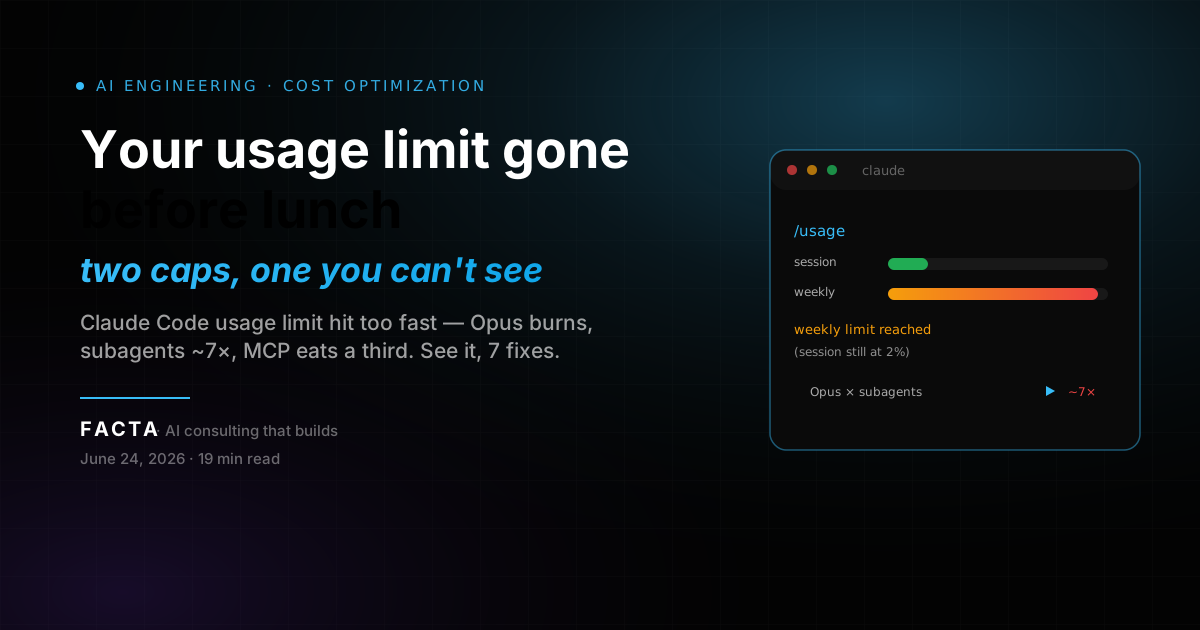
| Session at 2% but "limit reached" | Weekly cap exhausted, not session | Wait for 7-day reset or switch to API |
| Limit drains during agent runs | Subagent fan-out (~7x tokens) | Pin subagents to Sonnet/Haiku in frontmatter |
| Quota gone before you type much | MCP servers loading huge tool definitions | /context, then trim unused servers |
| Bill or quota spikes overnight | Auto-accept / background loops | Cap effort, kill idle background tasks |
If your usage is under control and you just want headroom now, jump to the pay-as-you-go route. Everything between here and there is about making a plan last.
WHEN TO FIX, SWITCH, OR STOP
Not every limit is worth fighting
Set your strategy before you spend an afternoon optimizing. The right move depends entirely on whether you're hitting the session cap or the weekly cap.
Fix it in-session when
/usage shows the 5-hour session cap maxed during heavy bursts but the weekly bar still has room. Default to Sonnet, compact aggressively, and trim MCP. You'll usually stay inside the session window after that.
Switch models when
A single Opus-driven workflow is the whole problem. Pinning subagents and the default to Sonnet often doubles or triples how long the plan lasts, with no other change needed.
Switch billing when
/usage shows the weekly all-models cap exhausted and the 7-day reset is days away. No in-session optimization brings a weekly cap back early. At that point you either upgrade a tier or move to pay-as-you-go.
Stop optimizing when
You've trimmed MCP and routed models and /usage still empties fast. Your real volume has outgrown the plan, and the pay-as-you-go route is the answer.
Gut check
If your error and retry rate is low and you're only hitting the cap during occasional heavy sprints, the in-session fixes are enough. If you hit the wall every single day by mid-afternoon, you have a billing-model problem, not a hygiene problem.
WHY THE LIMIT DRAINS SO FAST
Two caps, not one
The core reason people get surprised is that Claude Code enforces two independent limits, and the weekly one is invisible until it bites.
The 5-hour limit is a rolling session window that starts with your first message and resets five hours later. The weekly limit is a separate 7-day cap, and on Max plans there are two of them: one across all models and one for Sonnet only, per Anthropic's own usage docs.
These reset on different clocks. A heavy weekend can leave you session-capped on Monday with weekly headroom to spare, or weekly-capped with sessions to spare. Hitting a weekly cap locks usage until its 7-day reset even if your current five-hour session still has allowance. Waiting five hours does nothing.
One more thing that throws people: Anthropic stopped publishing fixed prompts-per-window and hours-per-week numbers. What it publishes now is relative capacity. Max 5x ($100/mo) gives 5x Pro's per-session usage, and Max 20x ($200/mo) gives 20x. So there's no public token figure to budget against. You have to read /usage and learn your own ceiling.
How the two caps interact
first message
     |
     v
5-hour session window starts
     |
     v
   session cap hit?  -- yes --> locked until session resets (5h)
     |
     no
     v
   weekly all-models cap hit?  -- yes --> locked until 7-day reset
     |                              (even with session headroom)
     no
     v
   sonnet-only weekly cap hit? (Max plans only)
     |
     yes --> sonnet locked; other models may continue
     |
     no --> keep working
If /usage shows your session low but you still hit a wall, it's the weekly cap. There's a known Claude Code issue where the session bar reads 2% while the limit fires at 32% weekly. The fix there is to trust the weekly number, not the session bar.
THE LIMIT STATES
What each state means
These are not HTTP error codes, they're the limit states Claude Code surfaces. Reading them correctly tells you whether to wait, switch models, or switch billing.
| State you see | What it means | Scope | When it clears |
|---|---|---|---|
| "You've hit your usage limit" | 5-hour session cap reached | Current session, all models | On the rolling 5-hour reset |
| "Weekly limit reached" | 7-day all-models cap reached | Every model, all sessions | On the 7-day reset only |
| "Sonnet weekly limit reached" (Max) | Sonnet-only 7-day cap reached | Sonnet only, other models continue | On the 7-day reset only |
| "Limit reached" at low session % | Almost always the weekly cap firing | Weekly, not session | On the 7-day reset only |
| Session bar stuck at 100% on light use | Known display bug | Cosmetic, check /usage for truth | Restart or trust /usage numbers |
The trap is the fourth row. People see a fresh session bar, read "limit reached," and file a bug. In nearly every case it's the weekly cap, which the session bar doesn't show. Run /usage and read the weekly line before assuming anything is broken.
SYMPTOM, CAUSE, FIX
The whole article in one table
Each cause maps to a fix section below.
| Symptom | Cause | Fix |
|---|---|---|
| Plan empties by lunch | Opus is the default model | Set Sonnet as default with /model, reserve Opus for hard tasks |
| "Limit reached" at 2% session | Weekly cap exhausted | Read weekly numbers in /usage, wait for reset or move to API |
| Drains fastest during agent work | Subagents inherit Opus and run separate contexts (~7x) | Route each subagent's model in its frontmatter |
| Quota burns before real work | MCP tool definitions ~33% of a 200k window | Trim servers, let MCP Tool Search defer-load |
| Context keeps re-billing | Cache prefix invalidated mid-session | Lock tools and model at start, /compact and /clear cleanly |
| Overnight spikes | Auto-accept and background loops run unattended | Set per-prompt effort, kill idle background tasks |
Most "my limit is broken" reports map to one of these rows. The weekly-cap-firing-at-low-session pattern accounts for a large share of the confusion, because the session bar and the weekly cap are different numbers and only one of them is visible by default.
THE FIXES
How to make a plan last
Four core fixes handle most drains. The escalation path (pay-as-you-go + monitoring) covers the rest.
Fix 1: Default to Sonnet, reserve Opus for the hard parts
Switching your default model is the single biggest lever. Opus costs several times more per turn than Sonnet, and Sonnet more than Haiku. At API rates that's Opus 4.8 at $5/$25 per million input/output tokens, Sonnet 4.6 at $3/$15, and Haiku 4.5 at $1/$5. The real-world per-turn gap runs wider than the sticker ratio once Opus's heavier reasoning is counted.
Set Sonnet as your working default and pull Opus out only for the genuinely hard parts: architecture decisions, gnarly debugging, anything where a wrong answer costs you an hour. Use /model to switch. For most edits, refactors, and test writing, Sonnet's output is hard to tell apart and it stretches your weekly cap several times further.
Change reasoning effort too
Default reasoning burns roughly 2x the tokens of medium for most tasks. Set effort per prompt instead of leaving it on a global high, and reserve high effort for problems that genuinely need it.
Fix 2: Stop subagents from burning Opus in parallel
Subagent fan-out is the quietest drain because it doesn't show up while you're typing. Each subagent runs its own API requests in a fresh context window. It doesn't inherit your session, so it re-reads what it needs and bills its own calls. Agent teams can use about 7x the tokens of a standard session. One developer who blew through Max 20x found 85% of the usage came from subagent-heavy sessions.
The trap: most setups have every subagent inherit the main session's model, which is usually Opus. So every worker pays Opus prices on tasks that don't need Opus quality. Route each worker explicitly in its frontmatter:
---
name: test-writer
model: sonnet   # not the parent's Opus
---
Model routing alone cuts the subagent line item by roughly 30%. For mechanical work like renaming, repetitive edits, or doc lookups, drop those workers to Haiku.
The sneakier cost: re-reads
Because a subagent starts cold, it re-reads files the parent already loaded. Keep subagent prompts narrow so they don't re-scan half the repo. A worker told to "fix the failing test in auth_test.py" reads one file; a worker told to "improve test coverage" reads twenty.
Fix 3: Trim MCP servers before they eat your window
MCP servers charge you before you do anything. Seven connected MCP servers can consume 67,300 tokens of tool definitions, which is 33.7% of a 200k context window, at session start. Each tool's catalog runs 200 to 800 tokens of prose plus schema, multiplied across roughly 50 tools per server. That overhead rides along on every turn, so it compounds against your weekly cap fast.
Audit and disable
Run /context and look at the "MCP tools" line. Disable any server you haven't used in two weeks. Use project-level config so only servers relevant to the current repo load.
Let Tool Search defer
Claude Code's MCP Tool Search auto-defers tool loading when active MCP tool descriptions exceed 10% of the context budget. After it kicks in, the "MCP tools" line in /context should drop sharply. Confirm it's working right there.
If you run a handful of servers full-time, /context is the fastest audit you have. A common result is finding two or three servers you forgot you connected, each quietly costing you five figures of tokens per session.
Fix 4: Keep the cache warm with /compact and /clear discipline
Context hygiene protects your prompt cache, and a warm cache is most of your savings. Prompt caching cuts cached input cost dramatically. Cache hit rates of ~90% are healthy on the 5-minute default and climb to ~97-99% on the 1-hour TTL. The thing that kills it: adding or removing a tool mid-session invalidates the cached prefix and forces a full re-read. Lock your tools and model at session start.
Then manage the window deliberately:
/compact
At around 50% usage or after each discrete task, so old turns get summarized instead of re-sent in full on every turn.
/clear
Between unrelated pieces of work. Starting a fresh window beats dragging an hour of stale context into a new task.
Watch auto-accept and background loops
An unattended loop that keeps re-prompting can drain a session overnight while you're asleep. Cap effort and kill idle background tasks before you walk away.
FIXES BY PLAN TIER
Where each tier should focus first
The same drains apply on every plan, but the right lever shifts as you move up tiers.
Free / Pro Tier
On Pro you have the tightest weekly room, so model discipline matters most. Default to Sonnet, skip subagent fan-out entirely (it's the fastest way to empty a small cap), and run /compact early. Pro also can't lean on Opus for routine work without paying for it twice over. If you hit the weekly wall here, you're either due for Max or due for metered API billing for the heavy days.
Max 5x / Max 20x Tier
Max plans have the headroom to run subagents, but that's exactly where Max users get burned. The single biggest Max-specific fix is routing every subagent's model in frontmatter so they stop inheriting Opus. Max also carries the second, Sonnet-only weekly cap, so if you switch everything to Sonnet to save the all-models cap, watch the Sonnet line in /usage too. You can exhaust the Sonnet cap while the all-models cap still has room.
Team / Enterprise Tier
On seat-based plans, usage draws from a pool reset on a rolling window. The fixes here are organizational: a shared model-routing convention so the whole team defaults to Sonnet, a trimmed MCP config checked into the repo so nobody loads ten servers, and a fallback API key for the days the pool runs dry. For teams that hit the pool ceiling regularly, a metered gateway gives you an overflow lane without renegotiating seats.
COMMON FAILURE PATTERNS
The behaviors that drain quota faster than people expect
There's no public outage history for plan limits because this isn't a service-down problem. It's a set of repeating behaviors.
| Pattern | What it looks like | Why it drains fast |
|---|---|---|
| Opus-by-default | Plan empties by early afternoon on routine edits | Opus costs several times Sonnet per turn |
| Subagent fan-out | Quota plunges during agent runs, fine while typing | Each subagent runs its own context, ~7x tokens |
| MCP bloat | Quota gone before real work starts | Tool definitions can be ~33% of the window at start |
| Cache thrash | Token use stays high even on small turns | Mid-session tool changes invalidate the cached prefix |
| Phantom limit | "Limit reached" with a near-empty session bar | Weekly cap firing, sometimes a display bug |
| Overnight loop | Quota gone by morning, no one at the keyboard | Auto-accept loop kept re-prompting unattended |
The phantom-limit pattern accounts for a large share of confusion, because the session bar and the weekly cap are different numbers and only one of them is visible by default.
THE JUNE 2026 BILLING CHANGE
What actually happened
Nothing changed, but the scare was real and worth understanding.
Anthropic announced that Agent SDK and claude -p usage would move off your subscription into a separate, dollar-denominated monthly credit billed at standard API rates: $20 for Pro, $100 for Max 5x, $200 for Max 20x, with no rollover.
Then, before the June 15 effective date, Anthropic paused it. Those surfaces still draw from your Pro and Max subscription limits exactly as before. There's no credit to claim and your limits are unchanged. Anthropic says it's reworking the plan and will give advance notice before any future revision.
What this means for you: don't restructure your workflow around a credit pool that doesn't exist yet. The fixes above target the limits that are actually live today.
| Date (2026) | Change | Status |
|---|---|---|
| May 6 | 5-hour limits doubled (Pro/Max/Team/Enterprise), peak-hour throttling removed | Live |
| May 13 | Weekly limits raised 50% through July 13 (promo) | Live, time-boxed |
| June 15 | Agent SDK and claude -p moved to a separate credit pool | Paused, did not take effect |
WHEN THE PLAN STILL ISN'T ENOUGH
The pay-as-you-go route
If /usage shows your weekly cap exhausted and you can't wait for the reset, the only real escape from a plan ceiling is metered billing.
Subscriptions are cheaper at daily-primary-tool volume. At that load the same tokens cost roughly 2 to 2.5x more at raw API rates than the $100 Max 5x flat fee. But subscriptions hard-stop you at the weekly cap, and pay-as-you-go has no weekly cap at all.
For bursty, headless, or unpredictable work, metered billing wins outright. An OpenAI-compatible gateway lets you point Claude Code (or any OpenAI-SDK client) at a single key, billed per token with no plan ceiling, and switch between Claude, GPT, and Gemini models without juggling provider accounts:
# point Claude Code at any OpenAI-compatible gateway of your choosing
export ANTHROPIC_BASE_URL="https://your-gateway.example/v1"
export ANTHROPIC_API_KEY="your-key"
# Claude Code now bills per token, no weekly cap
In code, the model string is the same shape you'd use anywhere — one key, swap to opus/gpt/gemini freely:
client.chat.completions.create(
    model="anthropic/claude-sonnet-4.6",
    messages=[{"role": "user", "content": "refactor this module"}],
)
The honest tradeoff
If you're a daily heavy user inside one plan's limits, keep the subscription. Metered billing earns its keep when your usage is spiky enough that you'd never reach a subscription's monthly value, or when you keep slamming into the weekly wall and the reset is too far away to wait.
ALTERNATIVES WHEN YOU'RE CAPPED
When the weekly wall hits mid-task
The realistic ways forward, ordered by when each is the right call.
| Option | Weekly cap? | One key, many models? | Best for |
|---|---|---|---|
| OpenAI-compatible gateway (pay-as-you-go) | No | Yes (Claude/GPT/Gemini) | Bursty, headless, multi-model work; escaping the weekly wall |
| Anthropic Max 20x | Yes | No (Anthropic only) | Daily heavy use that stays inside one plan |
| Direct Anthropic API key | No | No (Anthropic only) | Anthropic-only automation, CI jobs |
| Wait for reset | n/a | n/a | Light users near the end of a 7-day window |
A plan limit isn't a bug to file. It's a budget you can read. Run /usage, default to Sonnet, and the wall you hit by lunch moves to the end of the week.
HOW TO MONITOR YOUR USAGE
Three commands, no external tool
The point of all of this is to never be surprised again. Three commands give you everything you need.
/usage
Your dashboard. Check it at the start of a session and again before any heavy agent run. Read both the session line and the weekly line — the weekly one is the one that ambushes people.
/context
Shows what's loaded right now. If the "MCP tools" line is large, you have a trimming opportunity before you've spent a single turn on real work.
/cost
Reports the current session's dollar value at API rates — the fastest way to feel how expensive an Opus-heavy session really is.
Build the habit of a quick /usage and /context at session start. Two seconds of reading prevents the by-lunch lockout that brought you here.
WHAT THIS ACTUALLY TEACHES
A budget you can't fully see is a budget you can't plan against
The fixes above make a plan last. The lesson is that the limit that bites you is the one that isn't visible by default.
You can read this two ways. The narrow way: switch to Sonnet, trim MCP, route subagents, move on. The useful way: a tool whose real ceiling is a weekly number it doesn't surface by default will keep surprising you until you build the habit of reading it.
We see this in nearly every AI stack we audit. A team buys seats, hits an invisible weekly wall mid-sprint, and blames a billing bug — when the actual problem is that nobody read /usage and the model default was Opus. The Claude Code limit wall is a specific instance of a general problem: budgets that aren't observable aren't managed.
Read the hidden number
The session bar is visible; the weekly cap isn't. The one that locks you out is the one you have to go look for. Make /usage a session-start reflex, not a post-mortem.
Defaults are budget decisions
Opus-by-default and subagents-inheriting-Opus are spending decisions made once, at install. Audit them deliberately, not by accident — a default you never reviewed is a leak you'll never notice until the wall.
Match the billing to the shape of the work
Subscriptions win for steady daily use; metered billing wins for spikes. The mistake is forcing one model onto a usage pattern it doesn't fit, then optimizing the wrong thing.
If your usage keeps surprising you, the limit isn't broken — your visibility into it is.
FAQ
Questions we get about this
Why does my Claude Code usage limit get hit so fast?+
Usually Opus-by-default, subagent fan-out, or MCP bloat. Opus costs several times more per turn than Sonnet. Subagents run their own context windows at roughly 7x the tokens of a single thread. Seven MCP servers can eat a third of your window before you type. Run /usage and /context to find which one.
What's the difference between the 5-hour limit and the weekly limit?+
The 5-hour limit is a rolling session window. The weekly limit is a 7-day cap, and Max plans have two of them (all-models and Sonnet-only). They reset on different clocks, so you can hit one with the other wide open.
Does hitting the weekly limit lock me out even if my 5-hour session is fresh?+
Yes. The weekly cap locks usage until its 7-day reset regardless of session headroom. Waiting five hours won't help.
How do I check how much usage I have left?+
/usage shows session and weekly consumption, /context shows what's loaded, and /cost shows the session's dollar value at API rates.
Did Anthropic change Claude Code billing on June 15, 2026?+
No. The planned Agent SDK credit-pool change was paused before it took effect. Subscription limits are unchanged.
Will switching from Opus to Sonnet make my plan last longer?+
Significantly. Opus is several times more expensive per turn. Default to Sonnet with /model and reserve Opus for hard tasks.
Why does it say "usage limit reached" when my session is at 2%?+
That's the weekly cap firing, not the session cap. Occasionally it's a known display bug where the session bar jumps to 100% on low local usage. Trust the weekly numbers in /usage.
Can I use my Claude Pro plan and an API key at the same time?+
Yes. Many developers run on the subscription day to day and switch Claude Code to a metered API key on the days they exhaust the weekly cap, then switch back after the reset. The base URL and key are environment variables, so the swap is two lines.
About FACTA
FACTA helps startups and growth-stage teams turn AI into production systems that keep running — not demos that impress once.
We design the architecture around the parts that actually break under real usage: cost controls you can see, model routing that defaults to the cheap tier, fallback billing, observability. The boring infrastructure that keeps a system alive after launch.
Led by Matías Baglieri and Carolina Fogliato, we focus on one thing:
AI leadership that builds. Not just advises.
Stop hitting invisible walls. Make your AI spend observable.
When a weekly cap bites mid-sprint and nobody saw it coming, the problem isn't the limit — it's that your spend isn't observable and your defaults weren't chosen on purpose. FACTA designs the model-routing, cost-control, and fallback layer that keeps your AI stack predictable across plans, providers, and the breaking changes you didn't get a memo for.
Explore AI Automation