If you just upgraded and your build broke with ModuleNotFoundError: No module named 'claude_code_sdk' or a TypeScript error saying @anthropic-ai/claude-code has no exported member query, you are not doing anything wrong. The package moved.
The confusing part: npm install @anthropic-ai/claude-code still succeeds. It just installs a different thing now. The name you remember points at the CLI tool; the SDK packed up and left.
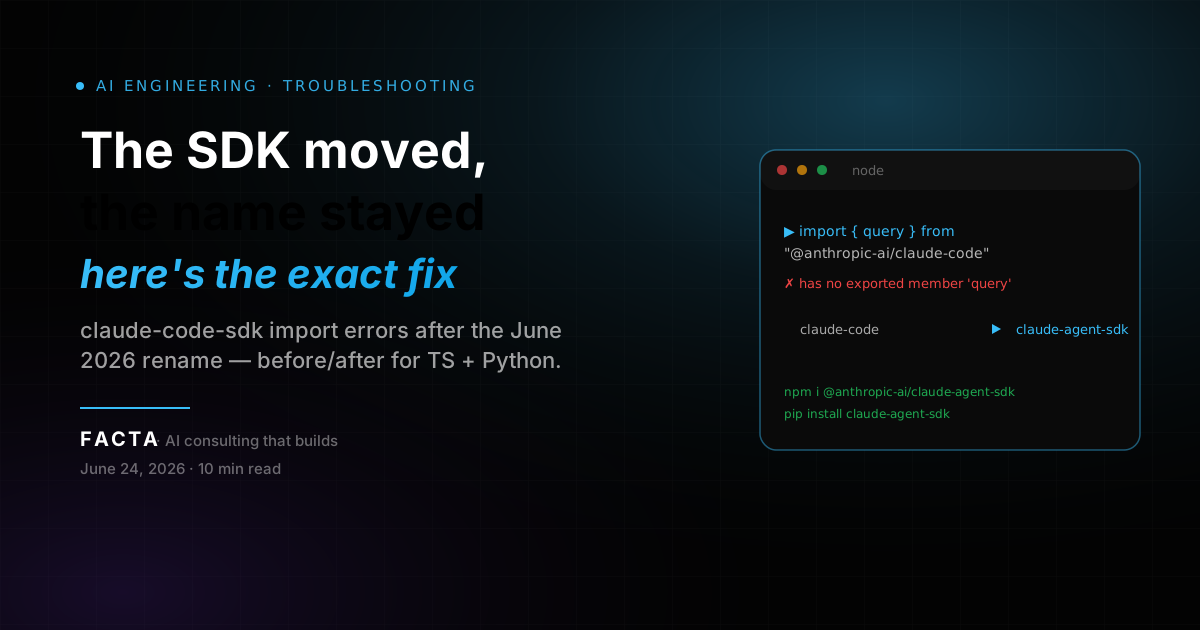
In June 2026 Anthropic renamed the Claude Code SDK to the Claude Agent SDK. The TypeScript package became @anthropic-ai/claude-agent-sdk and the Python package became claude-agent-sdk. The old names didn't all 404 cleanly, which is exactly why the errors are confusing. This is a precise fix, not a rewrite.
THE 30-SECOND FIX
Before → after
The rename touches the package name, the import path, and (in Python) one class name. Map your old line to the new one and most of your code keeps working.
| What | Old | New |
|---|---|---|
| TS/JS package | @anthropic-ai/claude-code | @anthropic-ai/claude-agent-sdk |
| TS/JS import | import { query, tool } from "@anthropic-ai/claude-code" | import { query, tool } from "@anthropic-ai/claude-agent-sdk" |
| Python package | claude-code-sdk | claude-agent-sdk |
| Python import module | claude_code_sdk | claude_agent_sdk |
| Python options class | ClaudeCodeOptions | ClaudeAgentOptions |
| Default system prompt | Claude Code preset on by default | Off; opt in with a preset |
Current versions at the time of writing: @anthropic-ai/claude-agent-sdk is on 0.3.x, claude-agent-sdk on PyPI is on 0.2.x. The frozen old packages sit at claude-code-sdk 0.0.25 (Python) and @anthropic-ai/claude-code is now the CLI at 2.1.x.
WHY YOUR IMPORT BROKE
The CLI-vs-SDK name collision
The SDK moved out of @anthropic-ai/claude-code, but that package name stayed alive as the CLI tool, so the install succeeds and the import fails. That mismatch is the single biggest source of confusion in this migration, so it is worth being precise about who owns which name now.
| Package | What it is now | Current major |
|---|---|---|
| @anthropic-ai/claude-code | The Claude Code CLI tool | 2.1.x |
| @anthropic-ai/claude-agent-sdk | The programmatic SDK | 0.3.x |
| claude-code-sdk (PyPI) | Frozen, last release | 0.0.25 |
| claude-agent-sdk (PyPI) | The active SDK | 0.2.x |
So npm install @anthropic-ai/claude-code does not fail. It installs the CLI. Then your import { query } from "@anthropic-ai/claude-code" fails because that package no longer exports SDK symbols. The error message points at the import, but the real problem is the package you installed.
The rename itself reflects scope. The SDK started as a coding helper and grew into a general framework for building agents — support bots, review agents, finance assistants — so "Agent SDK" describes it better than "Code SDK."
ERROR MESSAGE → FIX
Find your exact error
Each error string below maps to one root cause: you are pointing at an old name. Find your exact message, apply the fix.
| Error you see | Language | Root cause | Fix |
|---|---|---|---|
| ModuleNotFoundError: No module named 'claude_code_sdk' | Python | Importing the old module name | pip install claude-agent-sdk, import claude_agent_sdk |
| ImportError: cannot import name 'ClaudeCodeOptions' | Python | Class was renamed | Use ClaudeAgentOptions from claude_agent_sdk |
| Module '"@anthropic-ai/claude-code"' has no exported member 'query' | TS | Installed the CLI package, not the SDK | Install @anthropic-ai/claude-agent-sdk, update import |
| Cannot find module '@anthropic-ai/claude-agent-sdk' | TS | New package not installed yet | npm install @anthropic-ai/claude-agent-sdk |
| ModuleNotFoundError: No module named 'claude_agent_sdk' | Python | Installed, but wrong Python or venv | Use Python 3.10+, install into the active venv |
| Agent ignores Claude Code behavior after upgrade | Both | Default system prompt removed in v0.1.0 | Opt into the claude_code preset |
Most of these collapse to the same move: point the install and the import at the new package name. The last two are not import-rename problems at all — one is an interpreter mismatch, the other is a behavioral default — and they are the ones that survive after the build is green.
FIX FOR TYPESCRIPT / JAVASCRIPT
Uninstall, reinstall, rewrite the import
Uninstall the old package, install the new one, and rewrite the import string. The symbol names (query, tool, createSdkMcpServer) did not change, so the import is the only edit in most files.
npm uninstall @anthropic-ai/claude-code
npm install @anthropic-ai/claude-agent-sdk
Update every import
// Before
import { query, tool, createSdkMcpServer } from "@anthropic-ai/claude-code";
// After
import { query, tool, createSdkMcpServer } from "@anthropic-ai/claude-agent-sdk";If you pinned the dependency, update the key too
{
  "dependencies": {
    "@anthropic-ai/claude-agent-sdk": "^0.3.0"
  }
}
One gotcha worth a grep
If you also use the CLI in scripts (the claude command), keep @anthropic-ai/claude-code installed for that, but never import SDK symbols from it. Keep the CLI and the SDK as two separate dependencies with two separate jobs. Leaving the old entry is how you end up with both packages installed and an editor that resolves query from the wrong one.
FIX FOR PYTHON
Uninstall, reinstall, rename the class
Uninstall claude-code-sdk, install claude-agent-sdk, then change the import module and the options class name. The constructor arguments are identical, so model, permission_mode, and friends carry over unchanged.
pip uninstall claude-code-sdk
pip install claude-agent-sdk
Rewrite the import and the class
# Before
from claude_code_sdk import query, ClaudeCodeOptions

options = ClaudeCodeOptions(model="claude-opus-4-7", permission_mode="acceptEdits")
# After
from claude_agent_sdk import query, ClaudeAgentOptions

options = ClaudeAgentOptions(model="claude-opus-4-7", permission_mode="acceptEdits")
The second failure hiding behind the first
claude-agent-sdk requires Python 3.10 or newer. If you create a venv with 3.9, pip either refuses the install or installs nothing, and you get ModuleNotFoundError: No module named 'claude_agent_sdk' even though you "installed it." Check the interpreter the import actually runs under:
python -c "import sys; print(sys.version)"
python -c "import claude_agent_sdk; print(claude_agent_sdk.__file__)"
If the first prints 3.9.x, rebuild the venv with 3.10+. If the second throws but pip show claude-agent-sdk lists it, you installed into a different environment than the one running your script. This is the most common cause of the "installed but not found" reports on the SDK's issue tracker.
THE BREAKING CHANGE NOBODY READS
The default system prompt is gone
The default system prompt is gone in v0.1.0 and later, so your agent behaves differently even after the imports compile. This is the one change that fixes your build but silently alters behavior, so it bites people a week after the migration looks done.
Older SDK versions injected Claude Code's CLI-focused system prompt automatically. From v0.1.0 the SDK ships a minimal default. To restore the old behavior, opt into the preset:
import { query } from "@anthropic-ai/claude-agent-sdk";

// Restore the old Claude Code behavior:
const result = query({
  prompt: "Hello",
  options: {
    systemPrompt: { type: "preset", preset: "claude_code" }
  }
});
from claude_agent_sdk import query, ClaudeAgentOptions
# Restore the old Claude Code behavior:
async for message in query(
prompt="Hello",
options=ClaudeAgentOptions(
system_prompt={"type": "preset", "preset": "claude_code"}
),
):
print(message)Or pass a plain string (systemPrompt: "You are a helpful coding assistant" in TS, system_prompt="..." in Python) to define your own. For deployed agents this is the better default, since you usually don't want CLI-flavored instructions leaking into a support bot.
If your agent leans on tool definitions, the prompt change can shift how tools get selected.
One more nuance: settingSources
settingSources briefly defaulted to "load nothing" in v0.1.0 and was then reverted. Omitting it now loads user, project, and local filesystem settings, matching the CLI. Pass settingSources: [] (TS) or setting_sources=[] (Python) for an isolated run, which matters in CI and multi-tenant deploys. Python SDK 0.1.59 and earlier treated an empty list like omitting the option, so upgrade before relying on it.
WHEN THIS FIX WON'T HELP
And what to do instead
Apply the rename fix when your error is a missing module, a missing export, or a renamed class. Skip ahead to a different fix when the symptom is one of these.
You're still on Python 3.9 and can't upgrade
The rename doesn't matter; the SDK won't install. Either upgrade the interpreter or pin the old claude-code-sdk 0.0.25 and accept that it gets no fixes.
Auth or network errors (401, ECONNRESET, timeouts)
Those are runtime, not import. The package name is correct; look at credentials, base URL, and retries instead.
Cost spikes after migrating
The rename is free; your token usage isn't. Audit prompt caching and context handling rather than re-reading the rename.
Stop rule. If python -c "import claude_agent_sdk" succeeds and your TS import resolves in the editor, the migration is done. Everything past that is a normal runtime problem, not a rename artifact.
WHEN THE SDK IS THE WRONG LAYER
Running the same agent loop across multiple models
The Claude Agent SDK is the right tool when you want Anthropic's native agent harness. When you want to A/B across providers without rewriting client code, the SDK is the wrong layer — an OpenAI-compatible gateway is the right one.
An OpenAI-compatible gateway exposes one base URL and one key for many models, so you can drive the same tool-use loop against Claude, GPT, Gemini, or whichever model you choose, and swap models with a single string change instead of re-plumbing SDKs:
from openai import OpenAI

# point at any OpenAI-compatible gateway of your choosing
client = OpenAI(api_key="YOUR_API_KEY", base_url="https://your-gateway.example/v1")
resp = client.chat.completions.create(
    model="anthropic/claude-opus-4.8",   # swap this string to change models
    messages=[{"role": "user", "content": "Hello"}],
)
print(resp.choices[0].message.content)
This does not replace the Agent SDK — it sits alongside it. Use the native harness when you want Anthropic's built-in agent features, MCP support, and the claude_code preset. Use a gateway when provider portability is the goal. The two are not in competition; they answer different questions, and your safety and config controls stay in place regardless of which one you route through.
ALTERNATIVES AND RELATED TOOLS
If the Agent SDK doesn't fit
The honest options, in order of when each is the right call.
| Path | How it works | Best when | Notes |
|---|---|---|---|
| OpenAI-compatible gateway | One base_url + one key, many model IDs | You want provider portability | Swap models with a one-string edit |
| Claude Agent SDK direct | @anthropic-ai/claude-agent-sdk / claude-agent-sdk | You want Anthropic's native harness | MCP support, claude_code preset |
| Claude Code CLI | @anthropic-ai/claude-code, v2.1.x | Interactive or scripted terminal work | A tool, not a library — don't import query from it |
| Pin the frozen SDK | claude-code-sdk 0.0.25, no fixes | You're stuck on Python 3.9 | Accept it ships no security or bug fixes |
Most teams should land on the first or second. The frozen package is a stopgap, not a destination — a dependency that no longer receives fixes is a liability the moment it sits in a production path.
WHAT THIS ACTUALLY TEACHES
A rename that 404s nowhere is the worst kind of rename
The fix above is one line. The lesson is that the old name still installs something, and that's a design failure you can design around.
You can read this break two ways. The narrow way: update the package name, update the import, move on. The useful way: a dependency whose old name still resolves to a working install — just to the wrong thing — is a class of failure that will cost you a full afternoon the first time you hit it blind.
We see this in nearly every AI stack we audit: a team pins a package by name, the vendor splits or renames, and the install keeps succeeding against a name that no longer means what they think it means. The Claude Code → Agent SDK rename is a clean, documented instance of it. The next one may not ship a migration guide.
Pin the job, not the name
Your dependency manifest should encode what each package is for — CLI vs SDK, harness vs gateway — so a rename that keeps the old name alive can't quietly install the wrong thing into your build.
Treat a green install as a signal, not proof
An install that succeeds against a name that changed meaning is worse than a clean 404. Verify imports resolve and behavior matches after any rename, not just that pip or npm exited zero.
Watch the behavioral defaults, not just the API
The silent break here wasn't the import — it was the removed default system prompt. The build went green and the agent started behaving differently. Defaults have expiration dates; lock the ones you depend on.
When the old name still installs something, the rename isn't done until your behavior is — not your build.
FAQ
Questions we get about this
Is claude-code-sdk deprecated?+
Yes. The Python claude-code-sdk (frozen at 0.0.25) and the TypeScript SDK that used to live in @anthropic-ai/claude-code are no longer the SDK. Use claude-agent-sdk and @anthropic-ai/claude-agent-sdk.
What replaced ClaudeCodeOptions?+
ClaudeAgentOptions, imported from claude_agent_sdk. Same constructor arguments, new name.
Why does npm install @anthropic-ai/claude-code work but the import fails?+
Because that package is now the CLI tool (v2.1.x), not the SDK. The SDK symbols moved to @anthropic-ai/claude-agent-sdk. The install succeeds against the old name; it just installs a different thing now.
How do I fix ModuleNotFoundError: No module named 'claude_code_sdk'?+
pip uninstall claude-code-sdk, pip install claude-agent-sdk, then import from claude_agent_sdk. Confirm you're on Python 3.10+, since the new package requires it.
Did the API change or just the package name?+
Mostly the name. The one behavioral break is that v0.1.0+ no longer loads Claude Code's system prompt by default; opt in with the claude_code preset or pass your own system_prompt.
Do I need to change my model IDs after migrating?+
No. Model strings are unaffected by the rename.
Why does my agent behave differently after upgrading to v0.1.0+?+
The default system prompt was removed. Pass the claude_code preset to restore prior behavior, or define your own system_prompt string. The build compiles fine — the behavior is what shifted.
Is @anthropic-ai/claude-code the same as @anthropic-ai/claude-agent-sdk?+
No, two different packages. One is the CLI, the other is the SDK. Keep both installed if you use the CLI in scripts, but only import SDK symbols from the agent-sdk package.
About FACTA
FACTA helps startups and growth-stage teams turn AI into production systems that keep running — not demos that impress once.
We design the architecture around the parts that actually break under real usage: dependency manifests that survive renames, credentials you control, failover, cost controls, observability. The boring infrastructure that keeps a system alive after launch.
Led by Matías Baglieri and Carolina Fogliato, we focus on one thing:
AI leadership that builds. Not just advises.
Stop firefighting SDK renames. Own the dependency layer.
When a vendor rename keeps the old name alive, a green install can quietly install the wrong thing — and the silent break is in the behavioral defaults, not the imports. FACTA designs the dependency, config, and failover layer that keeps your AI stack reliable across renames, deprecations, and breaking changes you didn't get a migration guide for.
Explore AI Automation